
Prota Space1.6.0-29935d - Google Play
You'll be able to see results in few seconds.
Publisher Description
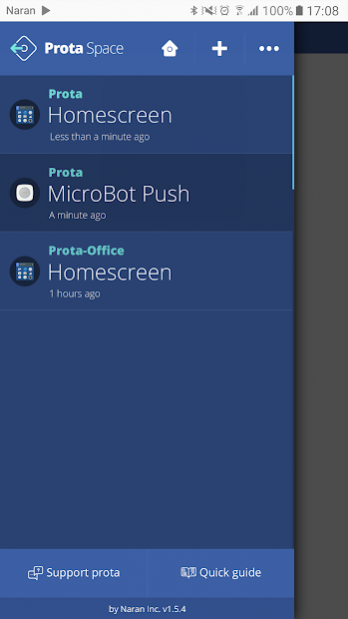
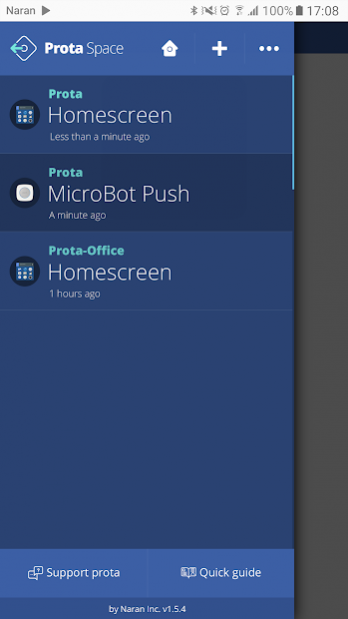


Prota is a connection point — a smart hub — for your all smart devices as well as popular apps and web services that you can use to create fun and immersive smart home experiences. Monitor cameras, operate MicroBots, control lights and power outlets, create inclusive automation workflows where your devices and apps work side by side automatically.
Prota iOS app provides a means to view and control your Prota hub remotely with your iOS device via prota.space. Download and use this app to easily access your Prota and use home automation stories straight from your smartphone.
FEATURES
Access and control Prota remotely
Download and use the Prota iOS app to access and remotely control all features of your Prota device from an iPhone or an iPad.
Use phone as a sensor for Prota automation stories
Create automation workflows as if you'd be writing a sentence in plain natural language and use your phone as one of many possible sensors. You can trigger specific automation workflows when your phone goes online/ offline, based on your current location and other available phone services.
Get notifications to your phone
Get notified when Prota spots an intruder in your home or when MicroBot Push was used to turn on a coffee maker. With Prota you can setup unlimited number of alerts from a variety of sensors and connected apps.
Connect your phone to Prota over Bluetooth
Use the Prota app to scan and pair your phone with your Prota hub.
REQUIREMENTS
- At least one physical device that is running Prota OS.
- Bluetooth function must be available and active on Prota.
- Prota must be connected to the Internet.
About Prota Space
The company that develops Prota Space is Naran Inc.. The latest version released by its developer is 1.6.0-29935d.
To install Prota Space on your Android device, just click the green Continue To App button above to start the installation process. The app is listed on our website since 2017-11-29 and was downloaded 0 times. We have already checked if the download link is safe, however for your own protection we recommend that you scan the downloaded app with your antivirus. Your antivirus may detect the Prota Space as malware as malware if the download link to com.narantech.prota is broken.
How to install Prota Space on your Android device:
- Click on the Continue To App button on our website. This will redirect you to Google Play.
- Once the Prota Space is shown in the Google Play listing of your Android device, you can start its download and installation. Tap on the Install button located below the search bar and to the right of the app icon.
- A pop-up window with the permissions required by Prota Space will be shown. Click on Accept to continue the process.
- Prota Space will be downloaded onto your device, displaying a progress. Once the download completes, the installation will start and you'll get a notification after the installation is finished.
Program Details
System requirements
Download information
Pricing
Version History
version 1.6.0-29935d9
posted on 2017-11-29
Changes
* Supports Wi-Fi connection during AP mode of a configuration-complete Prota
version 1.4.4
posted on 2016-12-16
* Support the app links,* Fixed the “white page” issue in AP mode,* Fixed the WiFi connection issue
Disclaimer
Official Google Play Link
We do not host Prota Space on our servers. We did not scan it for viruses, adware, spyware or other type of malware. This app is hosted by Google and passed their terms and conditions to be listed there. We recommend caution when installing it.
The Google Play link for Prota Space is provided to you by apps112.com without any warranties, representations or guarantees of any kind, so access it at your own risk.
If you have questions regarding this particular app contact the publisher directly. For questions about the functionalities of apps112.com contact us.
